
For a custom ice pack, an approved logo file is only the start. The pouch print, textile cover, retail carton, barcode, and instruction copy may be reviewed by different people and produced by different methods. A reliable artwork approval process connects each approved file to a specific SKU, component, proof and physical sample—so the supplier knows exactly what can move into production.
The short answer: maintain a separate revision for every printed component, approve the digital proof and production-representative sample for different reasons, then issue one controlled release record. This is a buyer-side workflow, not a claim that every Cryozin order follows identical gates. Match the gates to the printed components, target market and actual production route.
On this page
What exactly needs approval?
List every printed component before asking for a proof: gel pouch, fabric cover, paper insert, retail carton, master carton, or shipping label. Give each one a unique item or revision code and state which SKU and market it serves. A single “approved artwork” email is ambiguous when the pack, box and barcode can change independently. A component map also prevents a late carton edit from silently replacing an already approved pouch file.
Start with the logo file requirements for editable artwork and the packaging dieline guide for cut, fold, bleed and safe-area details. Neither file set alone proves that the finished product has been approved.
Use four approval gates—not one vague sign-off
Swipe horizontally to review the approval table on a phone.
| Gate | What the buyer checks | Record to retain |
|---|---|---|
| 1. Source package | Correct SKU, editable logo, copy, color reference, dimensions and component list | Versioned source files and owner |
| 2. Layout proof | Placement, spelling, dieline layers, artwork scale and barcode location | Marked proof with approval date and exceptions |
| 3. Physical sample | Print on actual material, filled-pack appearance, carton fit and any agreed scan check | Sample ID, photos and written acceptance |
| 4. Production release | Production file matches the approved sample and any open changes are closed | Final revision register and release authorization |
A digital proof is useful for checking layout and text. It does not confirm color on the actual substrate, distortion after filling, durability during handling, or whether a finished barcode scans. A physical sample answers some of those questions, but only within the conditions tested. If a required component has no physical sample, the release record should say why that gate was omitted and who accepted the risk; do not imply that a PDF verified production appearance.
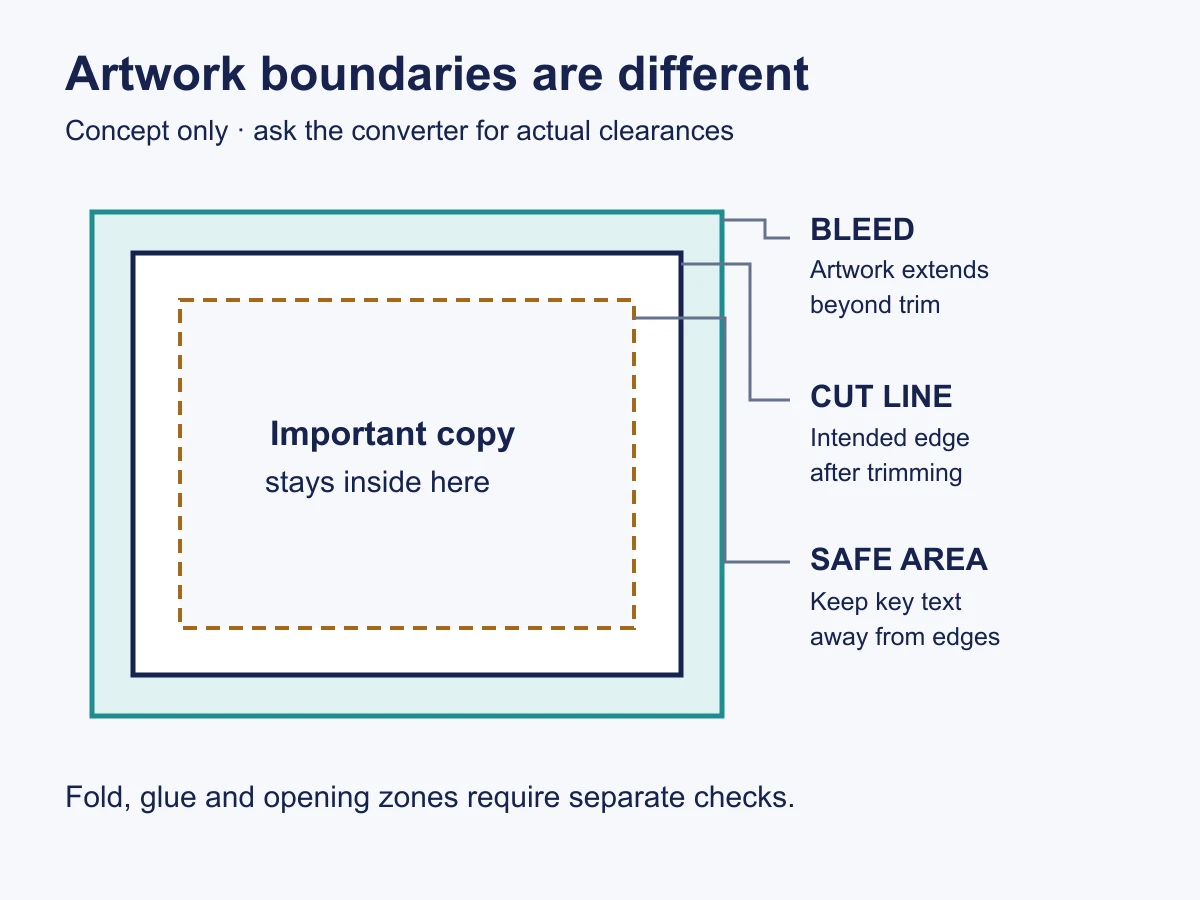
Build a master artwork package that a supplier can reproduce
The master package should identify the product and market, then link each component to its own artwork file. Record the intended print area, dimensions, color reference, material or substrate, language version, copy owner, and any reserved regulatory or barcode space. Separate editable artwork from a flattened viewing PDF; both can be useful, but they serve different purposes.
For color, approve the target on the intended material under an agreed viewing condition rather than assuming a screen value will look identical on film, textile and board. The color-matching guide covers that material-specific decision. Keep component artwork linked to the same SKU and packaging level; do not reuse a file solely because two products share a brand logo.
Review labels and barcodes with the right owners
Artwork approval is not a substitute for market-specific legal review. Have the responsible regulatory or legal reviewer approve claims, instructions, warnings and required identifiers for the target product and market. Do not copy a competitor’s wording or assume that “medical grade,” “non-toxic,” or performance claims are established by a design file.
For retail and logistics identification, GS1 US explains packaging levels. The brand owner and its trading partners should identify the correct product and packaging-level identifiers before artwork is frozen. The barcode labeling handoff guide covers GTIN ownership, placement and scan checks in detail; this article focuses on approval control across all artwork components.

Make sign-off specific and traceable
For each proof, record the file name, version, component, SKU, date, approver, decision, and any exceptions. “Approved subject to changes” should list the changes and trigger a new proof if they affect text, placement, color, barcode, legal copy, or print method. Identify one person or team authorized to issue the final production release. This is especially important when a buyer’s marketing, regulatory, packaging and sourcing teams all comment on the same file.
Keep the approved physical sample or a clearly identified reference set with the final file. If a later update changes the pack shape, fill amount, seal, carton or insert, ask which artwork dimensions and approvals need to be repeated. Do not quietly overwrite an approved file under the same name.
Use a release record that connects files to samples
For each printed component, a buyer can keep the following one-line record in a shared tracker. Blank fields are more honest than guessed approvals:
- Identity: SKU, target market, component name, packaging level if relevant, and component owner.
- Controlled file: editable source file name, viewing PDF name, revision, and approved dieline or print-area revision.
- Proof evidence: dated digital proof, change notes, physical sample ID or a documented reason no sample was required.
- Checks: copy/legal approver, color reference, barcode or identifier owner, and applicable sample-check result.
- Decision: approved, rejected, or pending; named signatories, date, unresolved exceptions, and release-file location.
Do not release a component if the source file and proof show different revisions, a required legal or identifier owner has not signed off, the sample differs from the approved proof, or an unresolved exception is buried in an email thread. If only one component changes, identify precisely which proofs and assembled-product checks must be repeated; leave unaffected approvals linked to their original versions.
What should a buyer check on the first printed sample?
- Product and language version match the approved SKU and market.
- Text, icons, logo and barcode are in the approved locations on the actual component.
- Small type and line work remain legible after the pouch is filled or the cover is assembled.
- Color is judged against the agreed physical or controlled reference.
- Any scan, adhesion or handling checks use defined methods and acceptance criteria.
- Packaging components fit the final product configuration and shipping unit.
For inspection after printing, use the printing-quality guide. It owns finished-print acceptance; this article owns the handoff and authorization trail leading to that inspection.
Frequently asked questions
Is a PDF proof enough to approve production?
It can approve layout and text if the file is controlled. A production-representative sample is still needed when substrate, print appearance, filling, assembly, or scan performance matters.
Who should approve barcode and regulatory copy?
The responsible brand, item-data and regulatory owners should approve the relevant fields. A printer can check placement or technical reproduction but cannot assume ownership of the buyer’s legal claims or identifiers.
What happens after a late artwork change?
Identify the affected component and revision, withdraw the superseded file, and repeat the necessary proof or sample checks before release. Record the new approval rather than relying on an old email thread.
The buyer’s next step
An artwork file is ready for production only when its SKU, component, revision, proof, sample decision and authorized release all agree. Bring the SKU list, component map, controlled files, target market and named approvers—not just a logo attachment—to a Cryozin project inquiry. For the commercial development route, review the OEM ice pack program; the actual print method, samples and compliance scope still need agreement for the specific product.
Sources and further reading
- GS1 US — Packaging Levels (item and packaging hierarchy).
Scene images are editorial concepts based on catalog references, not evidence of a factory, customer project, test or approved configuration. Catalog images illustrate visible product form only.
